A buyer wants to see it before you sample
Pick the garment and the exact part — say a kurti front neck — choose the embroidery and thread colours, and show the buyer the design on the garment. They approve a picture instead of a costly sample piece.
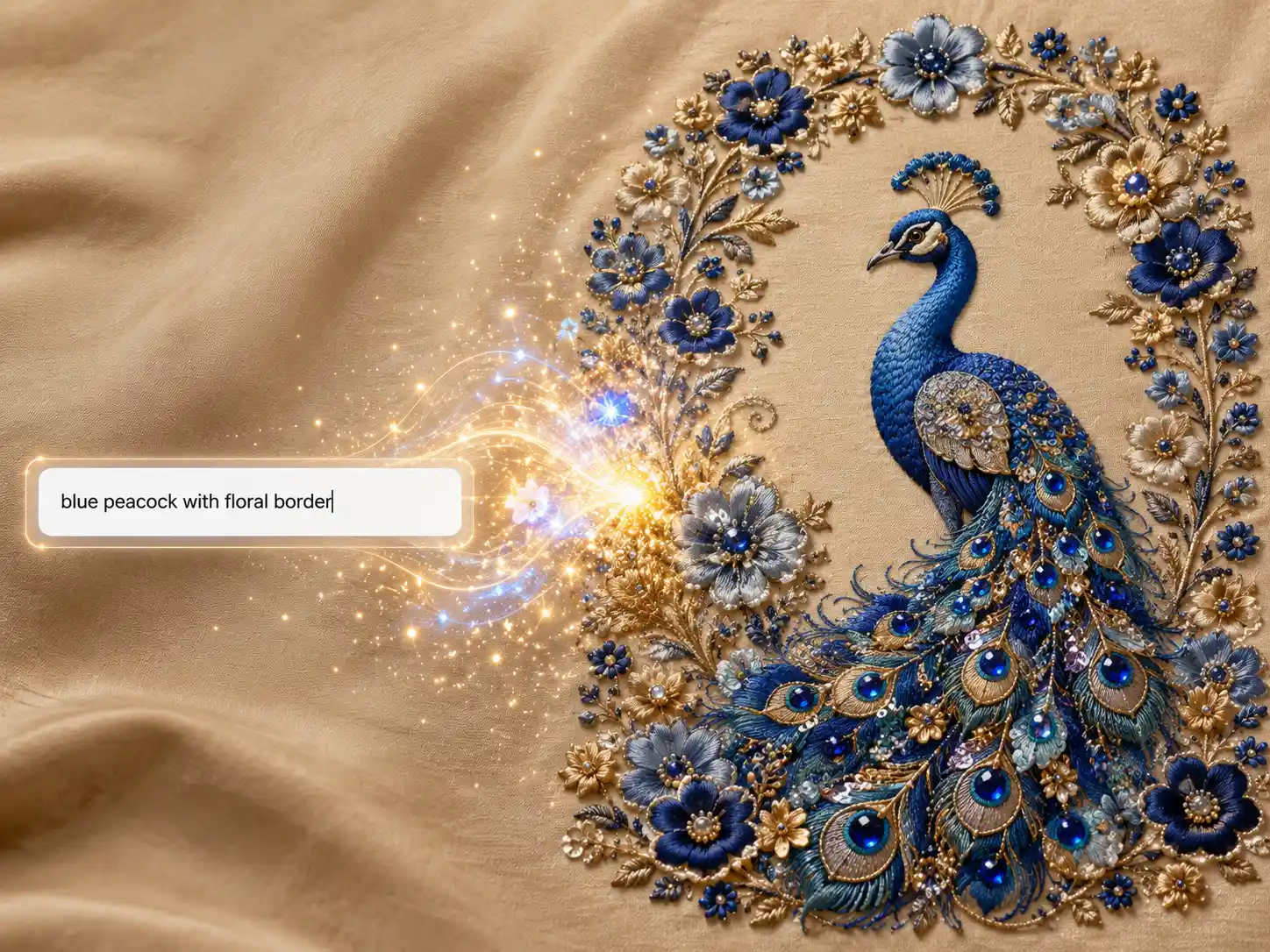
Design Studio
The Design Studio is an AI embroidery design generator for sarees, blouses, lehengas and 82 garment types. Pick the exact placement, the embroidery style and the thread palette, and it renders the embroidery on your real fabric — so a buyer can approve it before you pay for a physical sample.
You get an image preview of the embroidery, not a machine stitch file (DST, EMB). A digitizer makes the stitch file from it.
A worked example
What you give it
A green silk kurta with a gold floral neckline — fine zari vines with small red flower accents, worked around the front neck and repeated on the sleeve.
What comes back
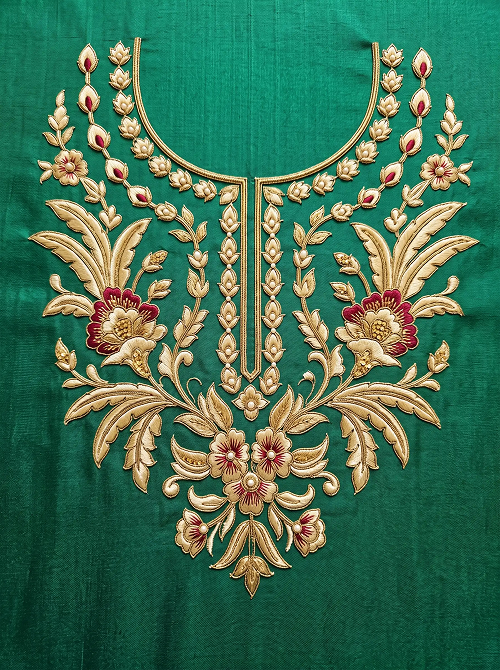 Design only
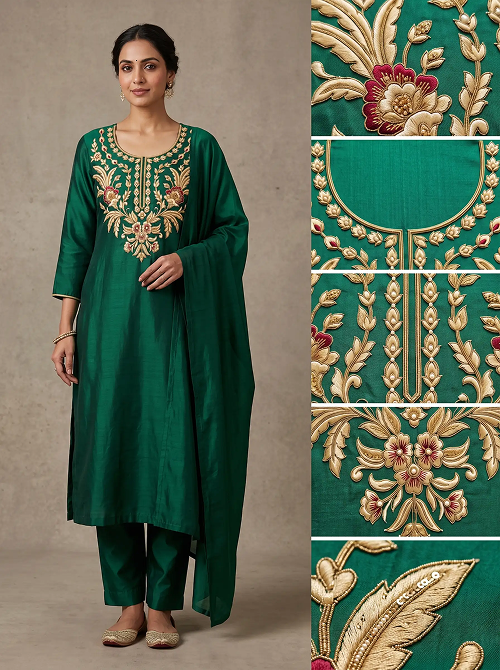 On the garment
When you would use it
Design Studio is for the times you know what is being made and where the embroidery goes, but the design itself still has to be drawn.
Pick the garment and the exact part — say a kurti front neck — choose the embroidery and thread colours, and show the buyer the design on the garment. They approve a picture instead of a costly sample piece.
Upload a photo of the fabric you already have. The design is made on that weave and colour, matched as closely as the AI can, so you see how it will look before anything is cut.
Switch to Describe in Words and type what they told you, in your own language — "gold vines on the border, small red flowers". The studio turns that description into a design.
Lock the thread palette to the buyer's colours (up to 8), and ask for up to 5 variations at once. Every design stays inside those colours, so you reply with choices, not one guess.
How it works
Brief
Pick a garment and the exact part to embellish — or switch to Describe in Words and type the idea in your own language.
Fabric
Upload a photo of your real fabric so the design sits on the actual weave, or pick a preset material and colour. Then set a motif theme and layout.
Embroidery
Choose the embroidery styles and effects — zari, moti, kundan, zarkhan, foam 3D and more — then lock the thread palette the design must stay inside.
Review
Check every selection in one summary, choose how many variations to create, and pick the output you want.
Features
Menswear, ethnic, western, kids, uniforms and other textile products — sherwani to saree to school uniform.
Not "on the garment" — on the pallu, the kali, the damman, the ghera, the yoke, the back neck.
Zari, moti, kundan, zarkhan, foam 3D and more — named exactly as the studio lists them.
Pick from the catalogue step by step, or describe the whole idea in up to 1000 characters — in your own language.
Upload a photo of the real weave, or pick from 3 presets. Lock up to 8 of 28 thread colours — the AI uses only those.
Generate the flat manufacturing reference to work from, or the design staged on the garment for a buyer to approve.
Guide video
One design, from an empty form to a preview a dealer can approve.
More tools
Before you start
Yes. Pick the garment — saree, blouse, lehenga, kurti and 82 garment types in all — then the exact part, such as the pallu, a lehenga kali or the neckline, and the embroidery style. The Design Studio generates the design for that placement and shows it on your fabric.
No. You get an image — a realistic preview of the embroidery on your fabric, for approving the design before a sample is made. Turning an approved design into a stitch file for your machine is still done by a digitizer.
No. You pick a garment, the part you want embellished, the embroidery style and the thread colours from lists — the same words you already use on the shop floor. There is nothing to install and no file format to learn.
Five credits per design generated. If you ask for several variations in one request, each variation costs its own five credits, and the total is shown before you confirm.
They come back automatically. A failed design shows "Something went wrong. Credits have been refunded." — you do not need to contact anyone to claim it.
Yes, and this is the point of the studio rather than a setting in it. Upload a photo of your actual fabric and the design is rendered on that weave, and the thread palette you choose is a hard limit on the generator — it uses only those colours, not merely colours like them.
No. You can paint over only the part you want changed and describe the fix; everything you did not paint is kept from the original, so correcting one border does not re-roll the whole design. Every edit is saved as its own version, so nothing you liked is lost.
Your designs are private to your account. There is no button that publishes a design — the public gallery on this site is a selection we curate, never a feed of customer work. Full details are in our Privacy Policy.
Yes. Designs you produce belong to you, subject to the Terms and to full payment of the applicable credits — you can share them with dealers, print them, and produce physical samples from them. The full wording is in our Terms and Conditions.
Yes. The interface is available in English, Gujarati and Hindi, and when you describe a design in your own words you can write in whichever language you think in.
A PNG, JPG, HEIC or SVG file up to 25MB. A plain photograph of the fabric taken on your phone in daylight is enough — it does not need to be a professional shot.
No, and it does not claim to. It replaces the two or three wrong samples you make before the right one. You still sample the design everyone has agreed on — you are just not paying to discover that the first three directions were not it.