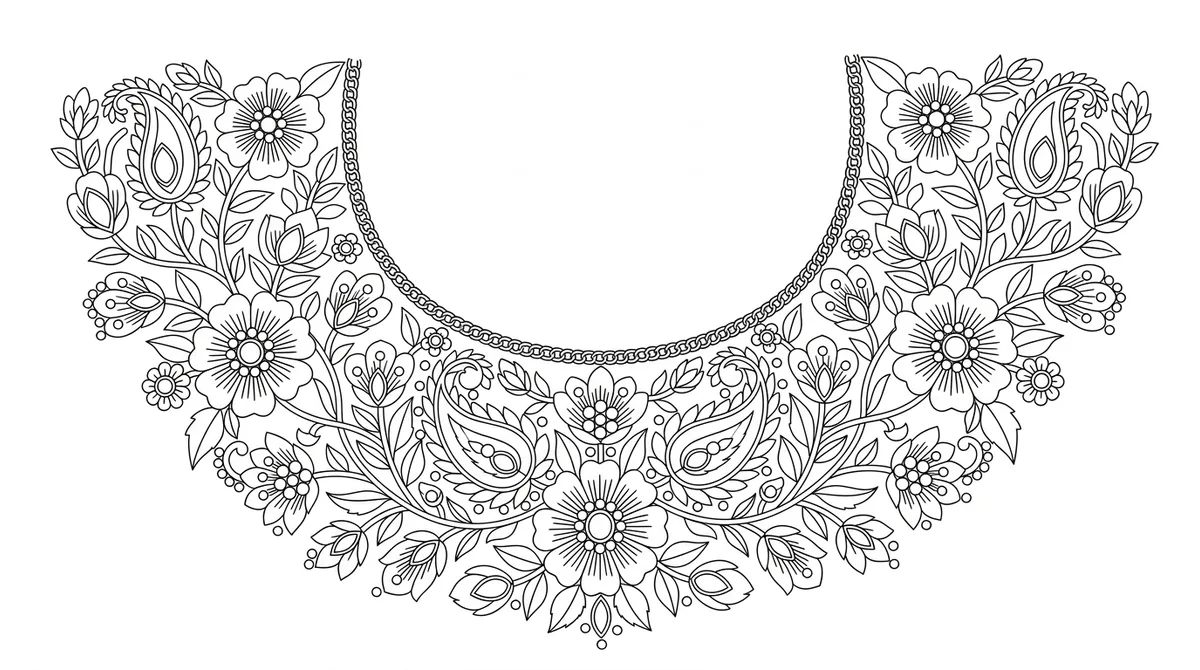
What you choose
- Design
- Your sketch
- Fabric
- Velvet · Maroon
- Mix mode
- Exact percentages
- Technique
- Motif
The mix
- Thread40%
- Jari Dori35%
- 2 MM Pearl10%
- 2 MM Cut Dana15%
Gold dori for the stems and the chain around the neck, pearls in the flower centres.
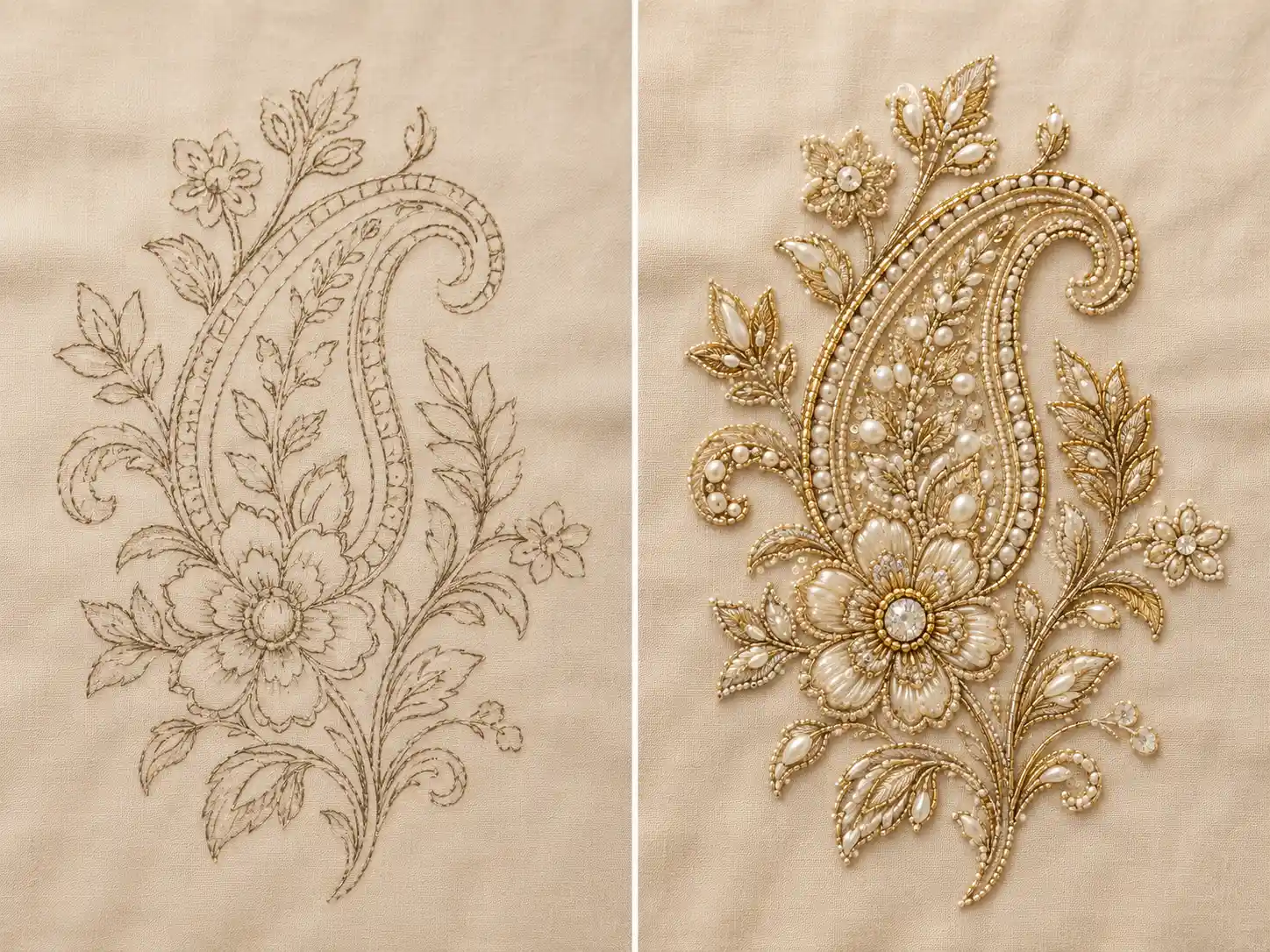
Beads Studio
Beads Studio is a bead work design preview tool. Upload your sketch, choose from eight named bead materials at their real sizes — flat sequence, cut dana, pearl and Zarkhan — and set the mix yourself. It renders the work on your own fabric, so the mix is agreed on screen, not on a tray of threaded beads.
You get an image preview of the embroidery, not a machine stitch file (DST, EMB). A digitizer makes the stitch file from it.
A worked example
Three real sets of selections: the sketch that went in, and the design that came back.
What you choose
The mix
Gold dori for the stems and the chain around the neck, pearls in the flower centres.
What comes back
Sample output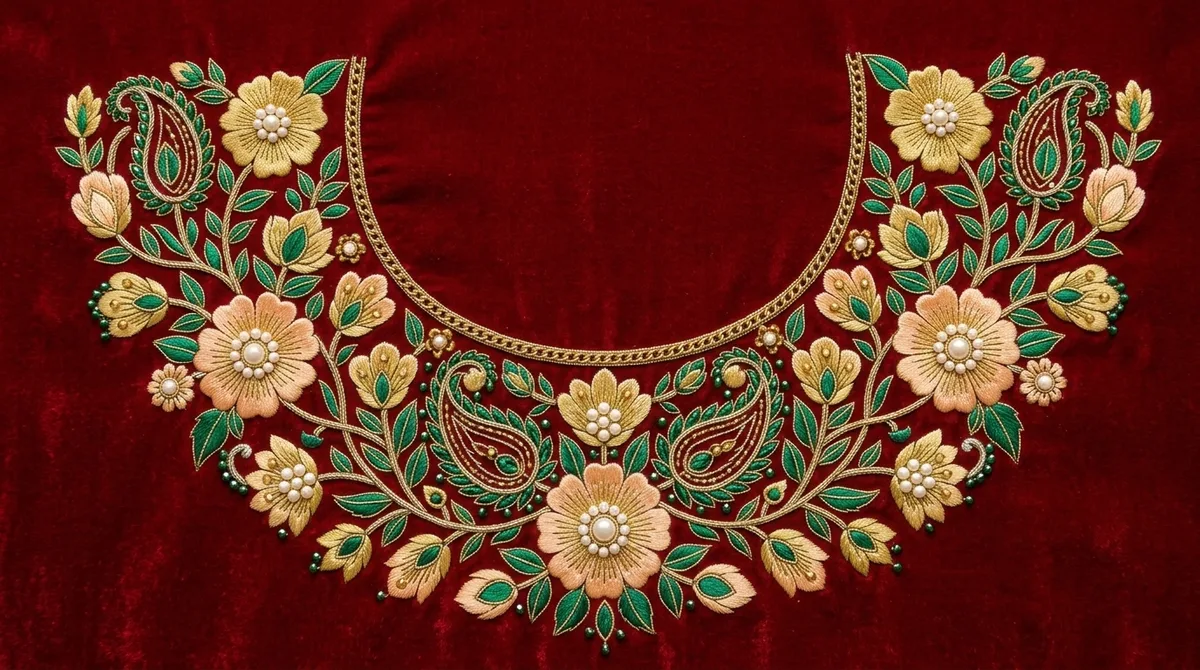
How it works
A sketch is required, and the mix has to add up. Everything else the studio will decide for you if you would rather it did.
DesignRequired
A line drawing, a sketch or a photograph of the motif you want worked. Clear, high-contrast artwork reads best — or pick one you uploaded before.
FabricOptional
Photograph your own cloth and the beadwork is rendered on that weave, matched as closely as the AI can, or pick a preset material and colour instead.
MaterialsOptional
Choose from eight named bead materials, balance the mix yourself or leave it automatic, then pick the stitching techniques.
ReviewOptional
Add any notes in your own language, choose how many variations you want, and create them.
5 credits per design.
Materials
Not style presets. These are the materials themselves — pick any combination, and the studio works the design in those and nothing else.
Listed largest first.Sold by length, not by the piece
The largest elements — bold accent fills and highlight petals.
Glass beads with angular sparkle, for prominent outlines, stems and vines.
Secondary shimmer, scatter highlights and scale transitions.
Soft lustre for fine dot clusters, flower centres and delicate infill.
Faceted glass for thin outlines, secondary lines and fine detailing.
Machine-cut pointed-back chatons — hard sparkle for dense outline rows and scalloped borders.
Metallic cord for continuous line work, couched outlines and borders.
Sold by length, not by the pieceLustrous silk for densely packed satin stitches filling petals and solid shapes.
Sold by length, not by the pieceThe mix
Or tick the materials and leave the balance to the studio. Both are one click apart.
Exact percentages
100% — ready to generateAn example mix, to show how the shares add up.
Tick the materials you want and leave the balance to the studio. Tick none at all and it picks the mix too.
Set each material's share yourself on a slider. The mix has to add up to exactly 100% before you can continue.
Your fabric
The beadwork is coloured to stand out against your fabric — never the other way round.
You provide
Or pick a preset — 3 materials, 8 colours and a custom picker.
The studio returns
IllustrationYour beadwork rendered on that weave and colour, matched as closely as the AI can, as a flat panel shot straight on.
The swatch shown is the fabric, not a generated result.
Features
Motif, Tatami, Satin and Cross Stitch — applied so the texture is visible in the result.
The design worked in your beads, laid flat on the fabric and shot straight on — the reference a workshop makes from. From the Edit page you can then stage it on a garment, or ask for an approximate piece count of the 6 materials that are sold by the piece.
Ask for several versions of the same setup at once — 5 credits each — and add up to 500 characters of notes in whichever language you think in. They are translated before the design is made.
Guide video
One sketch, from an empty form to bead work on fabric.
Before you start
You need a sketch. The Beads Studio works from your artwork — a line drawing, a sketch or a photograph of the motif — and renders it in real bead materials. There is a notes box for extra instructions, but it refines the design you uploaded rather than inventing one from scratch.
Eight, by name and by size: 5 MM and 3 MM Flat Sequence, 4 MM and 2 MM Cut Dana, 2 MM Pearl, Zarkhan (SS12 chatons), Jari Dori metallic cord, and silk Thread. They are the materials themselves, at their real sizes — not style presets.
Sequence work uses flat, shiny discs — the studio offers 5mm and 3mm flat sequence, for bold accent fills and scattered shimmer. Cut dana work uses small faceted glass beads — 4mm for prominent outlines and vines, 2mm for thin lines and fine detail. You can mix both, with pearl and Zarkhan, in one design.
Yes, two ways. Set each material's share yourself on a slider, in which case the mix has to add up to exactly 100% before you can continue — or tick the materials you want and leave the balance automatic. Tick none at all and the studio chooses the mix as well.
Yes. Upload a photograph of your actual cloth and the beadwork is rendered on that weave and that colour, which stays locked — the embroidery is coloured to stand out against your fabric rather than your fabric being recoloured to suit the embroidery. If you would rather not upload one, pick Cotton, Silk or Velvet and a colour instead.
A flat embroidered panel: the design worked in your chosen beads, laid out on the fabric, photographed straight on. It is the reference a workshop makes from. Seeing that same design staged on a garment is a separate step you can take afterwards from the Edit page.
Five credits per design. You can ask for up to five variations of the same setup in one go, each costing its own five credits, and the total is shown before you confirm. The variations use identical settings — the differences come from the generator, not from changed inputs.
They come back automatically. A failed design shows "Something went wrong. Credits have been refunded." — you do not need to contact anyone to claim it.
No. You can paint over only the part you want changed and describe the fix; everything you did not paint is kept from the original. Every edit is saved as its own version, so nothing you liked is lost. You can also reopen the studio with all your original selections already filled in and change just one of them.
A PNG, JPG, HEIC or SVG up to 25MB, for both the sketch and the fabric photo. The interface itself is available in English, Gujarati and Hindi, and the notes box accepts whichever language you think in — it is translated before the design is generated.
Your designs are private to your account. There is no button that publishes a design — the public gallery on this site is a selection we curate, never a feed of customer work. Full details are in our Privacy Policy.
Yes. Designs you produce belong to you, subject to the Terms and to full payment of the applicable credits — you can share them with dealers, print them, and produce physical samples from them. The full wording is in our Terms and Conditions.